

Microsoft Word Tricks for Litigation Paralegals
Credits Available
| Credit | Status | Total | Until |
|---|---|---|---|
| California MCLE Paralegal |
|
1 Total | 07-08-2027 |
| Montana CLE Credit for Paralegals |
|
1 Total | 07-08-2027 |
| New Mexico Paralegal Division, State Bar of |
|
1 Total | 07-08-2027 |
| Texas State Bar of Paralegal Division |
|
1 Total | 07-08-2027 |
Buy This Course
OnDemand Video
Course Book Download
Overview
Uncover Shortcuts, Solutions to Frustrating Formatting Problems, and More
Microsoft Word can often be unwieldy when you're trying to format and style legal documents. Stop struggling and learn how to make Word work for you - not against you. This guide will show you how to turn hours of keyboard frustration into a few quick clicks and shortcuts, with practical demonstrations for troubleshooting common problems when creating the litigation documents. Save time and avoid headaches with these power tips - register today!
- Maximize efficiency by creating a setup that has all the key functions in easy reach.
- Uncover nifty tips and tricks no paralegal should go without.
- Find solutions to common challenges you encounter when formatting and styling legal documents.
*Any mention of specific products in this program is intended as part of a general overview and does not constitute IPE's endorsement or recommendation of any specific product or provider. This program is not sponsored by any technology or electronics provider.
Abbreviated Agenda
- The Best Word Setup for Litigation Paralegals
- Quick Tips and Tricks: Formatting, Shortcuts, Templates, and More
- Litigation Documents: Creative Solutions to Common Style and Formatting Challenges
- Viewing, Scrubbing, Editing, or Producing File Metadata
Credit Details
Credits Available
| Credit | Status | Total | Until |
|---|---|---|---|
| California MCLE Paralegal |
|
1 Total | 07-08-2027 |
| Montana CLE Credit for Paralegals |
|
1 Total | 07-08-2027 |
| New Mexico Paralegal Division, State Bar of |
|
1 Total | 07-08-2027 |
| Texas State Bar of Paralegal Division |
|
1 Total | 07-08-2027 |
Credit Details by Jurisdiction
Paralegal
Credits
California MCLE Paralegal Approved · 1 Total Credits
Earn Until
OnDemand - California MCLE Paralegal - 1: This program meets the California MCLE Paralegal requirement as specified in Business and Professions Code Section 6450(d).
Video Download - California MCLE Paralegal - 1: This program meets the California MCLE Paralegal requirement as specified in Business and Professions Code Section 6450(d).
Montana CLE Credit for Paralegals Approved · 1 Total Credits
Earn Until
OnDemand - Montana CLE Credit for Paralegals - 1: This course has been approved for 1.0 hours of self-study CLE credit, including 0.0 hour of ethics, by NALA The Paralegal Association Certifying Board. The Montana Association of Legal Assistants (MALA) and the Paralegal Section of the State Bar of Montana will honor this credit approval.
Video Download - Montana CLE Credit for Paralegals - 1: This course has been approved for 1.0 hours of self-study CLE credit, including 0.0 hour of ethics, by NALA The Paralegal Association Certifying Board. The Montana Association of Legal Assistants (MALA) and the Paralegal Section of the State Bar of Montana will honor this credit approval.
New Mexico Paralegal Division, State Bar of Approved · 1 Total Credits
Earn Until
OnDemand - New Mexico Paralegal Division, State Bar of - 1: Approved by the Paralegal Division of the State Bar of New Mexico for 1.0 general self-study credit and 0.0 ethics self-study credit (for a total of 1.0 hours CLE).
Video Download - New Mexico Paralegal Division, State Bar of - 1: Approved by the Paralegal Division of the State Bar of New Mexico for 1.0 general self-study credit and 0.0 ethics self-study credit (for a total of 1.0 hours CLE).
Texas State Bar of Paralegal Division Approved · 1 Total Credits
Earn Until
OnDemand - Texas State Bar of Paralegal Division - 1: This course qualifies for 1.0 self-study CLE credit hours, including 0.0 ethics credit hour, toward the eligibility requirements of The Paralegal Division of the State Bar of Texas.
Video Download - Texas State Bar of Paralegal Division - 1: This course qualifies for 1.0 self-study CLE credit hours, including 0.0 ethics credit hour, toward the eligibility requirements of The Paralegal Division of the State Bar of Texas.
Select Jurisdiction
Paralegal
Agenda
-
Microsoft Word Tricks for Litigation Paralegals
- The Best Word Setup for Litigation Paralegals
- Quick Tips and Tricks: Formatting, Shortcuts, Templates, and More
- Litigation Documents: Creative Solutions to Common Style and Formatting Challenges
- Viewing, Scrubbing, Editing, or Producing File Metadata
Who Should Attend
This intermediate level course is designed to give litigation paralegals the knowledge they need to maximize their use of MS Word. Those who should attend include:
- Paralegals
- Legal Technicians
- Legal Assistants
- Legal Support Staff
Speakers
Speaker bio
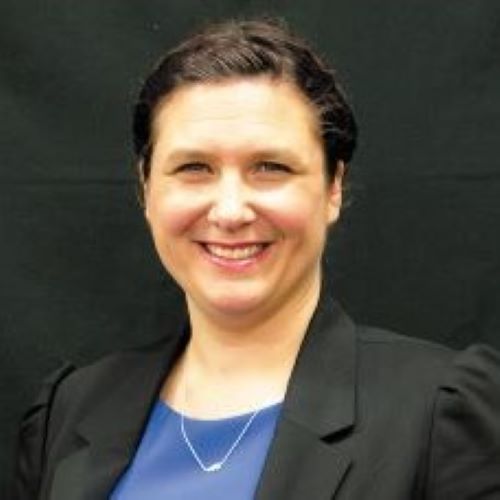
Katie Brown
is the associate dean for information resources at Charleston School of Law. Her research and scholarship interests are in the areas of intellectual property, acting skills for lawyers, law and literature, management, and a variety of legal research related topics. Ms. Brown has taught specialized, beginner, and advanced legal research courses and seminars on legal technology for practice, art of advocacy, and contracts. She is a very active member of the American Association of Law Libraries (AALL). Ms. Brown has participated in a variety of leadership roles throughout the association chapters and special interest sections. She earned her B.F.A. degree from DePaul University, her master's degree in library and information science from the Drexel University iSchool and her J.D. degree from Seattle University School of Law. In 2024, Ms. Brown also received the Inaugural Technology & Ethics Award from the Association of American Law Schools Section on Technology, Law and Legal Education (AALS).
Top FAQs
When you enroll prior to the live event date you will receive access to the live-streaming webinar which will allow you to interact with faculty in real-time.
With each course, you will receive access to the content via OnDemand Streaming and the Video Download.
Course reference materials are included with each course purchase in a downloadable PDF format.
Courses are available within your account. Simply login to your account and click on My Courses. If you require additional assistance please call our Customer Service Department at 800-793-5274.
Closed captioning is available for all online live courses. Attendees may enable the closed captioning functionality within the event room once they have accessed the event by simply clicking the "cc" button in the lower right of the event room.
Yes, the more people you bring from your organization, the more you save. Please call out Customer Service Department to inquire about savings for your team at 800-793-5274.
The OnDemand Video will be available to stream within 14 days of live broadcast date. You will have access to the content for 6 months in your account.
If you're a subscriber, you'll have access to your course recordings until 7 days after the expiration date of the subscription.
Have more questions? Please Contact Us