

The Paralegal's Guide to Microsoft OneNote
Credits Available
| Credit | Status | Total | Until |
|---|---|---|---|
| California MCLE Paralegal |
|
1 Total | 08-26-2026 |
| Indiana Paralegal CLE |
|
1 Total | |
| Montana CLE Credit for Paralegals |
|
1 Total | 08-26-2026 |
Buy This Course
OnDemand Video
Course Book Download
or
Overview
Tips for Enhancing Legal Productivity With OneNote
Microsoft OneNote provides paralegals with the capability to enhance their productivity, organize case information effectively, and collaborate with other members of the legal team. Are you ready to streamline your workflow? Follow along as faculty show you how to use Microsoft OneNote to your advantage. Whether you're new to OneNote or you just need a quick refresher, you don't want to miss this program. Register today!
- Receive tips and tricks for creating notebooks.
- Examine OneNote's notetaking features and find out how you can use them to capture essential information in numerous formats.
- Understand how you can use OneNote to collaborate with your attorney, legal assistants, and beyond.
*Any mention of specific products in this program is intended as part of a general overview and does not constitute IPE's endorsement or recommendation of any specific product or provider. This program is not sponsored by any technology or electronics provider.
Abbreviated Agenda
- Primer on Key Functionalities and Features
- Practical Tips for Creating Notebooks, Sections, and Pages Customized for Paralegal Tasks
- Research and Notetaking Techniques
- Using OneNote for Case Management
- Creating and Using Templates: Essential Guidelines
- Exploring Other Features: Tags, Drawing Tools, Audio Notes, etc.
- How to Link OneNote to Outlook
- Sharing and Collaboration
Credit Details
Credits Available
| Credit | Status | Total | Until |
|---|---|---|---|
| California MCLE Paralegal |
|
1 Total | 08-26-2026 |
| Indiana Paralegal CLE |
|
1 Total | |
| Montana CLE Credit for Paralegals |
|
1 Total | 08-26-2026 |
Select Jurisdiction
Other
Agenda
-
The Paralegal's Guide to Microsoft OneNote
- Primer on Key Functionalities and Features
- Practical Tips for Creating Notebooks, Sections, and Pages Customized for Paralegal Tasks
- Research and Notetaking Techniques
- Using OneNote for Case Management
- Creating and Using Templates: Essential Guidelines
- Exploring Other Features: Tags, Drawing Tools, Audio Notes, etc.
- How to Link OneNote to Outlook
- Sharing and Collaboration
Who Should Attend
This intermediate level course is designed to introduce attendees to the benefits of using OneNote for legal cases. Those who should attend include:
- Paralegals
- Legal Technicians
- Legal Assistants
- Legal Support Staff
Speakers
Speaker bio
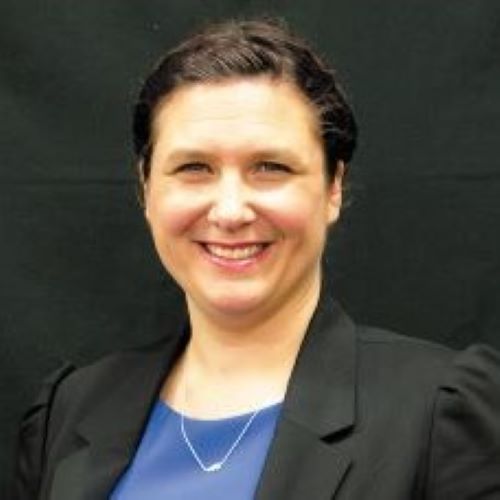
Katie Brown
is the associate dean for information resources at Charleston School of Law. Her research and scholarship interests are in the areas of intellectual property, acting skills for lawyers, law and literature, management, and a variety of legal research-related topics. Ms. Brown has taught specialized, beginner, and advanced legal research courses; and seminars on legal technology for practice, art of advocacy, and contracts. She is a very active member of the American Association of Law Libraries (AALL). Ms. Brown has participated in a variety of leadership roles throughout the association chapters and special interest sections. She earned her B.F.A. degree from DePaul University, her master's degree in library and information science from the Drexel University iSchool and her J.D. degree from Seattle University School of Law. In 2024, Ms. Brown also received the inaugural Technology & Ethics Award from the Association of American Law Schools Section on Technology, Law and Legal Education (AALS).
Top FAQs
When you enroll prior to the live event date you will receive access to the live-streaming webinar which will allow you to interact with faculty in real-time.
With each course, you will receive access to the content via OnDemand Streaming and the Video Download.
Course reference materials are included with each course purchase in a downloadable PDF format.
Courses are available within your account. Simply login to your account and click on My Courses. If you require additional assistance please call our Customer Service Department at 800-793-5274.
Closed captioning is available for all online live courses. Attendees may enable the closed captioning functionality within the event room once they have accessed the event by simply clicking the "cc" button in the lower right of the event room.
Yes, the more people you bring from your organization, the more you save. Please call out Customer Service Department to inquire about savings for your team at 800-793-5274.
The OnDemand Video will be available to stream within 14 days of live broadcast date. You will have access to the content for 6 months in your account.
If you're a subscriber, you'll have access to your course recordings until 7 days after the expiration date of the subscription.
Have more questions? Please Contact Us